
HTMLとZIPプロジェクトを開く
1枚のAIページから、CSS、scripts、画像、メディアを含むフォルダまで、まとめて再利用できるページとして保管します。
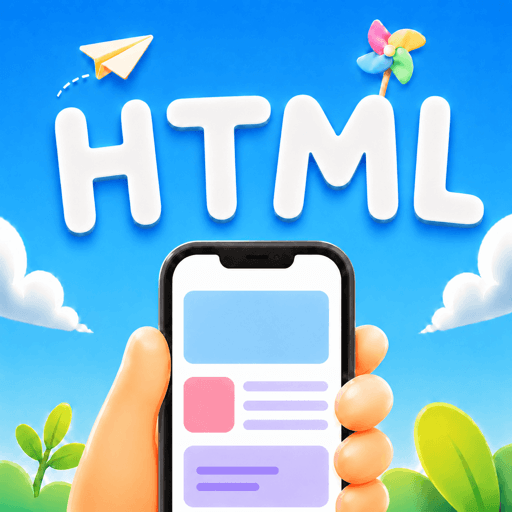
 HTML Keep
iPhone と iPad の HTML Keep
AIで作ったHTML、ローカルツール、ZIPのWebプロジェクトをiPhoneやiPadへ。ページとして開き、まとめて保存し、必要なときに戻れます。

ファイルからページへ
AI、AirDrop、メール、ファイル、PCから届いたファイルを、HTML Keepが端末上で開けて、使えて、また見つけられるページにします。
1枚のAIページから、CSS、scripts、画像、メディアを含むフォルダまで、まとめて再利用できるページとして保管します。

Coding Agentやデスクトップの作業フローから、HTMLやZIPプロジェクトをスマホのページライブラリへ直接送れます。

ページプロジェクトを選び、ホーム画面にアイコンを置いて、1タップで戻れます。

ページリスト、ファイル、進捗をiCloudでiPhoneとiPadの間に保ちます。
ローカルページライブラリ
HTMLファイルやZIPプロジェクトを一度取り込めば、ローカルライブラリからいつでも開けます。レポート、デモ、ミニツール、AI実験がチャットやダウンロードに埋もれません。
HTML Keep
Agent Automation
Claude Code、Codex、Hermes、OpenClawなどのAgentが、生成したHTMLやZIPをHTML Keepに移し、見つけやすい名前とアイコンを付けられます。
ウィジェット
ローカルHTMLページを、インストールしたツールのように扱えます。お気に入りをホーム画面に置き、1タップで開けます。
iCloud同期
iPhoneで始めてiPadで続けられます。HTML Keepはページリスト、プロジェクトファイル、進捗を一緒に保ちます。
iPhoneとiPadの間でページライブラリを自動同期します。

結果をスマホで開き、タッチで試し、良い版を残して、あとから戻れます。小さなレポート、子ども向け活動、授業デモ、モックアップ、ローカルツール、ZIPプロジェクトを実際に使える形にできます。
質問
iPhoneでHTMLファイルを開く方法
メール、AirDrop、チャットで受け取ったHTMLは、単なるファイルプレビューではなく、iPhone上のローカルページとして開きたい場面があります。
iPhone / iPad のHTML
 スマホでHTMLを開く方法
スマホでHTMLを開きたい検索では、ファイルを端末に移し、ローカルページとして表示し、あとからまた開きたい意図があります。
スマホのHTML
スマホでHTMLを開く方法
スマホでHTMLを開きたい検索では、ファイルを端末に移し、ローカルページとして表示し、あとからまた開きたい意図があります。
スマホのHTML
 iPhoneでMarkdownファイルを開く方法
.md / .markdown ファイルは、HTML Keep で README、メモ、コードブロック、表、リンクを読むためのネイティブ Markdown プレビューとして開けます。
Markdownファイル
iPadでHTMLを開くとCSSとJavaScriptが動かない理由
CSS、JavaScript、画像がHTMLから離れると、iPadでは見た目や動きが欠けた状態で表示されることがあります。
HTML、CSS、JavaScript
AI生成HTMLをスマホで見る方法
ChatGPT、Claude、GeminiでHTMLを作ったあと、公開する前にスマホで確認したいという検索意図があります。
AI生成HTML
iPhoneでローカルHTMLとJavaScriptは実行できる?
自己完結したHTMLとJavaScriptはローカルで動く場合がありますが、backendやserver routeに依存するページは別です。
ローカルHTMLとJavaScript
iPhoneでMarkdownファイルを開く方法
.md / .markdown ファイルは、HTML Keep で README、メモ、コードブロック、表、リンクを読むためのネイティブ Markdown プレビューとして開けます。
Markdownファイル
iPadでHTMLを開くとCSSとJavaScriptが動かない理由
CSS、JavaScript、画像がHTMLから離れると、iPadでは見た目や動きが欠けた状態で表示されることがあります。
HTML、CSS、JavaScript
AI生成HTMLをスマホで見る方法
ChatGPT、Claude、GeminiでHTMLを作ったあと、公開する前にスマホで確認したいという検索意図があります。
AI生成HTML
iPhoneでローカルHTMLとJavaScriptは実行できる?
自己完結したHTMLとJavaScriptはローカルで動く場合がありますが、backendやserver routeに依存するページは別です。
ローカルHTMLとJavaScript
 iPadでZIPのWebプロジェクトを開く方法
ZIPのWebプロジェクトなら、HTML、CSS、scripts、画像の相対パスをまとめて保ちやすくなります。
ZIPのWebプロジェクト
iPadでZIPのWebプロジェクトを開く方法
ZIPのWebプロジェクトなら、HTML、CSS、scripts、画像の相対パスをまとめて保ちやすくなります。
ZIPのWebプロジェクト
ダウンロード
iPhoneとiPad向けのHTML KeepをApp Storeで入手し、今日からローカルHTMLを開きましょう。








 カレンダー
カレンダー
 写真
写真
 カメラ
カメラ
 メール
メール
 メモ
メモ
 リマインダー
 時計
時計
 ニュース
ニュース
 TV
TV
 ゲーム
ゲーム
 App Store
 マップ
マップ
 ヘルスケア
ヘルスケア
 ウォレット
ウォレット
 設定
設定
 HTML Keep